
News
Amazon Prime Day 2026 Survival Guide for Sellers: How to Avoid an Amazon Account Suspension
June 17, 2026
Key Takeaways
- Amazon Prime Day 2026 runs June 23–26, moving four weeks earlier than usual and shortening seller preparation time significantly.
- Seller account suspensions spike during Prime Day due to sales velocity triggers, pricing algorithm flags, and order defect rate jumps from volume surges.
- Amazon's Order Defect Rate must stay below 1 percent, and late shipment rates often jump from 2 to 5 percent during Prime Day order spikes.
- US online spending during Prime Day 2025 hit 24.1 billion dollars, up 30.3 percent year over year, with non-participating sellers seeing 46 percent sales lifts.
- Fair Pricing Policy violations during Prime Day can result in immediate suspension with no warning if automated systems flag price increases as gouging.
Amazon Prime Day 2026 Survival Guide for Sellers: How to Avoid an Amazon Account Suspension
Prime Day 2026 runs June 23–26, and here's the part most sellers find out the hard way: the biggest sales event of the year is also the most dangerous window for your account. Amazon's enforcement systems get jumpier when traffic, orders, and prices all spike at once — which is exactly what happens on Prime Day. This guide walks you through the suspension triggers that hit hardest in late June, how to lock your account down before the deals go live, and what to do if you wake up to a deactivation notice mid-event.
Let's get into it.
Amazon Prime Day moved to June and your prep window just got shorter
For the first time since 2021, Amazon pulled Prime Day forward into June. The event kicks off at 12:01 a.m. PDT on June 23 and runs four full days through the 26th, across more than 35 categories and 26 countries.
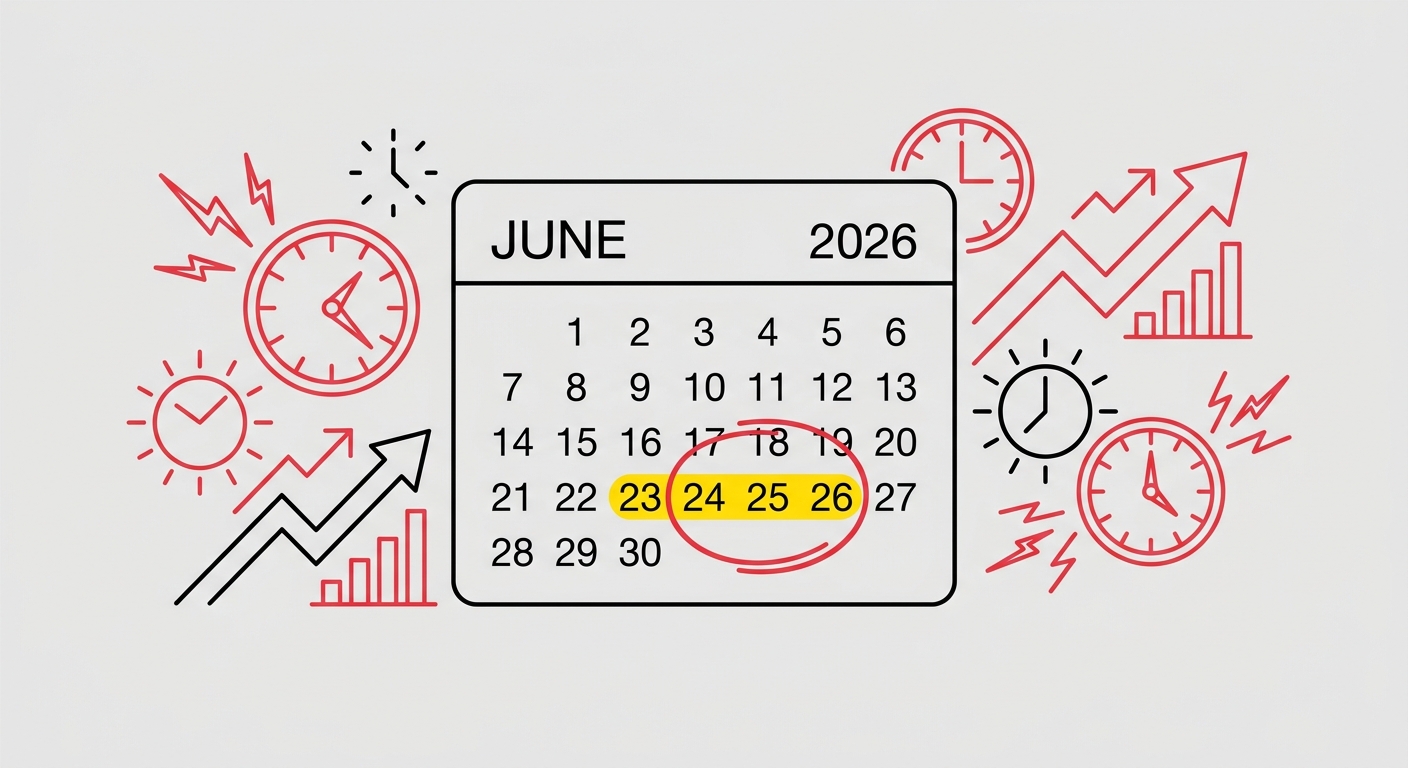
Prime Day 2026 moves to June 23-26, shortening seller prep time by four weeks
If you were mentally penciling in "Prime Day, mid-July" like every other year, your runway just collapsed by about four weeks. The deal submissions and FBA inventory cutoffs that used to land in June now hit in May. A lot of sellers didn't adjust their calendars in time — and a rushed Prime Day is exactly how accounts get into trouble.
The upside is real, though. US online spending during the four-day Prime Day 2025 event hit $24.1 billion, up 30.3% year over year, according to Adobe Analytics. And it's not just the sellers running deals who cash in — brands that didn't run a single official Prime Day promo still saw roughly a 46% sales lift during the event week, simply because buyer intent across the whole platform goes through the roof.
That surge is the opportunity. It's also the trap.
The biggest problems Amazon sellers face during Prime Day
Before we get to suspensions specifically, it helps to see the full picture. Prime Day isn't just a sales event — it's a logistical stress test where everything that can go wrong tends to go wrong at once. Here are the problems sellers run into most:
Order volume explodes 5x–10x. Sellers routinely see order spikes of five to ten times their normal daily volume. The slightest slip in prep, labeling, or timing turns into missed shipments, lost Buy Boxes, or stranded inventory — and a fulfillment system that was fine on a normal Tuesday buckles under the load.
Stockouts kill your momentum. Run out mid-event and you don't just lose those sales — your search ranking craters at the worst possible moment, and the damage carries for weeks. Industry estimates put the cost of stockouts at up to 15% of potential revenue.
Deals get rejected — sometimes last-minute. Amazon rejects deals for shallow discounts, pricing errors, or products that don't meet the deal criteria, and it can happen right before or even during the event. If your headline deal gets pulled, you've lost the traffic you were counting on. Have a backup coupon or Lightning Deal ready.
You lose the Buy Box to the pricing algorithm. Amazon's system scans competitor prices constantly — including off-Amazon. Last year, lower prices during a competing Target sale pushed some sellers out of the Buy Box entirely, forcing them to either slash margins or watch resellers eat the sale. With competing retailer events running alongside Prime Day, this is a live risk.
Ad costs balloon. Everyone bids up at once, so CPCs and ACoS spike hard. Sellers spent roughly 14% of their Prime Day revenue on Amazon ads last year, and daily ad spend can jump 300–500% during the event. Without a budget cap and a clear target ACoS, your margin disappears fast.
Returns flood in afterward. Deal shoppers buy multiples, grab gifts, and impulse-purchase — then send a chunk of it back. That post-event return wave can drag down your metrics and tip your Order Defect Rate over the line weeks after Prime Day ends.
And the most expensive problem of all: account suspensions. Every one of the issues above feeds the one risk that can erase your entire Prime Day in an instant — a deactivation. That's where the real money is lost, so it's worth understanding exactly why it happens.
Why Amazon seller account suspensions spike around Prime Day
Amazon doesn't suspend accounts to be cruel. It suspends them to protect buyers — and during a high-stakes event, the threshold for "this looks risky, shut it down and ask questions later" drops dramatically.
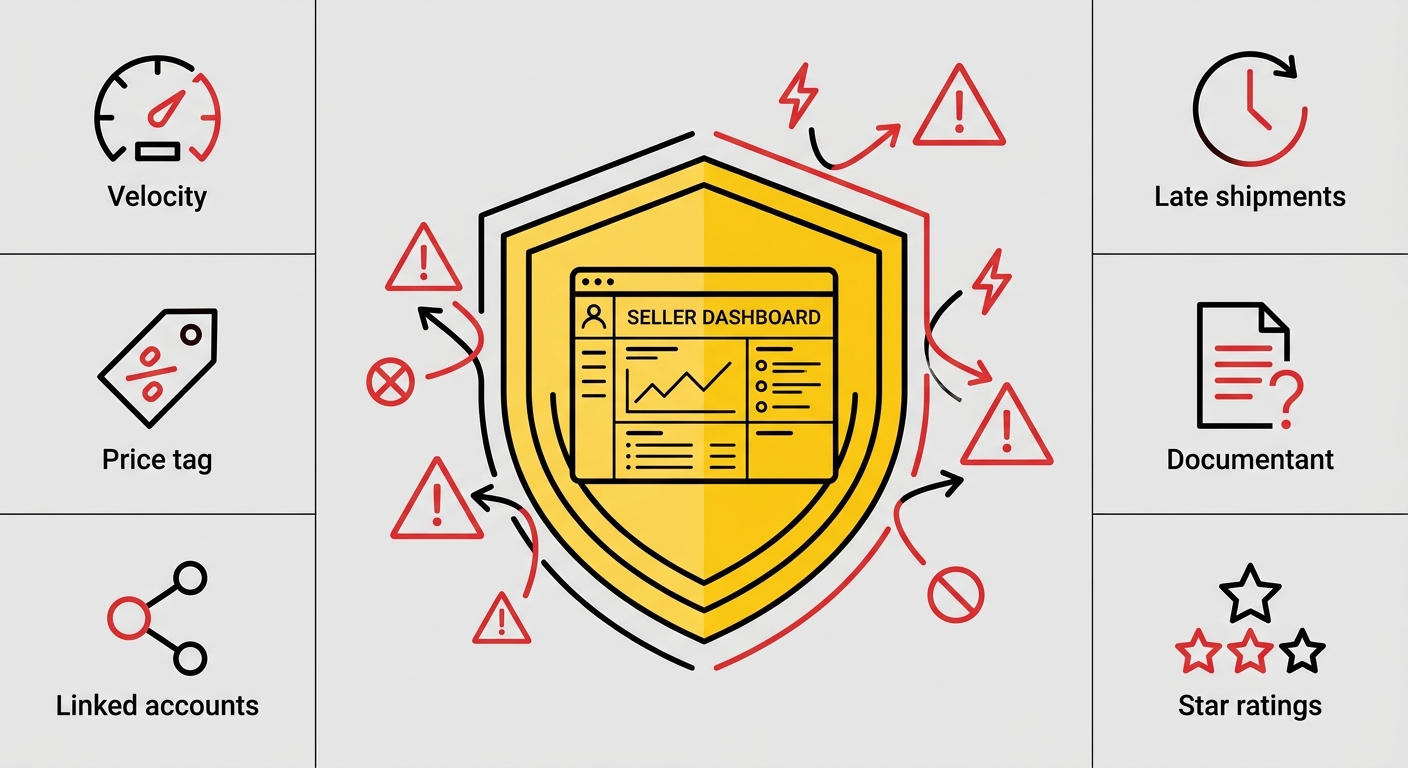
Six major suspension triggers that threaten Amazon sellers during Prime Day
Here's the mechanism. Amazon's enforcement is now mostly algorithmic. With around 9.7 million sellers on the platform and billions of data points changing daily, no human is reviewing your listing before action gets taken. The system watches your metrics around the clock, cross-references your activity against an ever-growing rulebook, and when something crosses a line, the default response is restrict first, investigate later.
Now layer Prime Day on top of that. Your order volume jumps 4x overnight. Your prices move. Competitors who couldn't beat you organically suddenly have a reason to file complaints. Your repricer is firing on every listing. Every one of those is a signal the algorithm is built to flag — and they're all firing at the same time.
Account specialists have noticed for years that certain suspension types, especially sales velocity and fair pricing cases, come in waves that cluster around big retail events. If you're going to get hit, the weeks bracketing Prime Day are when it's most likely.
6 Amazon account suspension triggers that hit hardest during Prime Day
1. Sales velocity spikes and account reviews
This is the big one, and it's the one almost nobody plans for.
Amazon assigns every account a sales velocity profile — essentially, an expectation of how fast your dollar volume and transaction count should grow. When you blow past that threshold, the system reassesses. If your feedback score and sales history don't justify the jump, your account lands under review. Best case, Amazon holds a chunk of your funds in a rolling reserve (often 25–50%, held for an extra 14 days) while letting you keep shipping. Worst case, your selling privileges get paused mid-event.
New and newer accounts get hit hardest here. If you've been doing $500 a day and Prime Day pushes you to $5,000, that's a textbook velocity trigger — especially when it's paired with steep discounts, which the algorithm can read as manipulation rather than a legit promo. One law firm recently reported a client whose account was frozen with over $500,000 in funds withheld, pending a suspicious-velocity investigation.
How to avoid it: Don't scale from zero to hero in a single day if you can help it. Warm up your velocity in the weeks before Prime Day with modest, steady increases. Keep clean documentation — order reports, shipping logs, supplier invoices — ready to prove the spike is real demand, not funny business.
2. Order Defect Rate and Late Shipment Rate
Amazon expects your Order Defect Rate (ODR) to stay below 1%. That number includes A-to-Z claims, chargebacks, and negative feedback. During Prime Day, the math gets brutal: a flood of orders means a flood of opportunities for defects, and if your fulfillment can't keep up, your Late Shipment Rate climbs fast.
Here's the trap sellers describe constantly — you're running a promo, orders spike, you can't ship everything on time, your LSR jumps from 2% to 5% over two weeks, and Amazon flags the account. You never even noticed, because you were too busy shipping.
How to avoid it: Keep your primary inventory in FBA so Amazon handles fulfillment at scale. If you're seller-fulfilled, staff up before the event, not during it. Watch your Account Health dashboard daily during Prime Day week — treat it like a check-engine light.
3. Amazon Fair Pricing Policy violations
This one catches honest sellers who never raised a price on purpose.
Amazon's Fair Pricing Policy is enforced almost entirely by algorithms that scan your price history for sudden jumps, compare your offer against competitors on the same ASIN, and even scrape pricing from off-Amazon retailers. During a high-demand window, an automated repricer that nudges prices up — or a bundle, or a supply-cost change — can read as price gouging. And the policy doesn't always distinguish between opportunistic gouging and a legitimate cost increase.
The scary part: these suspensions can come with no warning and no 72-hour grace period. Sellers flagged as immediate risks get stopped right away. Worse, a Fair Pricing flag can get upgraded to a Seller Code of Conduct violation if Amazon decides you tried to "game" the system — and Code of Conduct cases sometimes result in the account being closed outright rather than suspended pending appeal. Sellers call that the "kiss of death."
How to avoid it: Audit every repricer rule before June 23. Set hard price ceilings. Check the Product Policy Compliance section of your Account Health dashboard for any pricing flags. When in doubt during the event, it's safer to pause a listing than to let an automated price hike trip the wire.
4. Inauthentic item and IP complaints from competitors
Prime Day puts your listings in front of more eyeballs than any other time of year — including your competitors'. Bad actors know this, and a wave of inauthentic-item complaints or intellectual property claims is a common dirty tactic during peak season.
Inauthentic complaints are one of the single most common suspension types specialists handle, and they often hinge on whether you can produce clean, verifiable sourcing documentation. IP and trademark complaints — sometimes filed by competitors who don't even hold valid rights — can knock a listing or a whole account offline instantly.
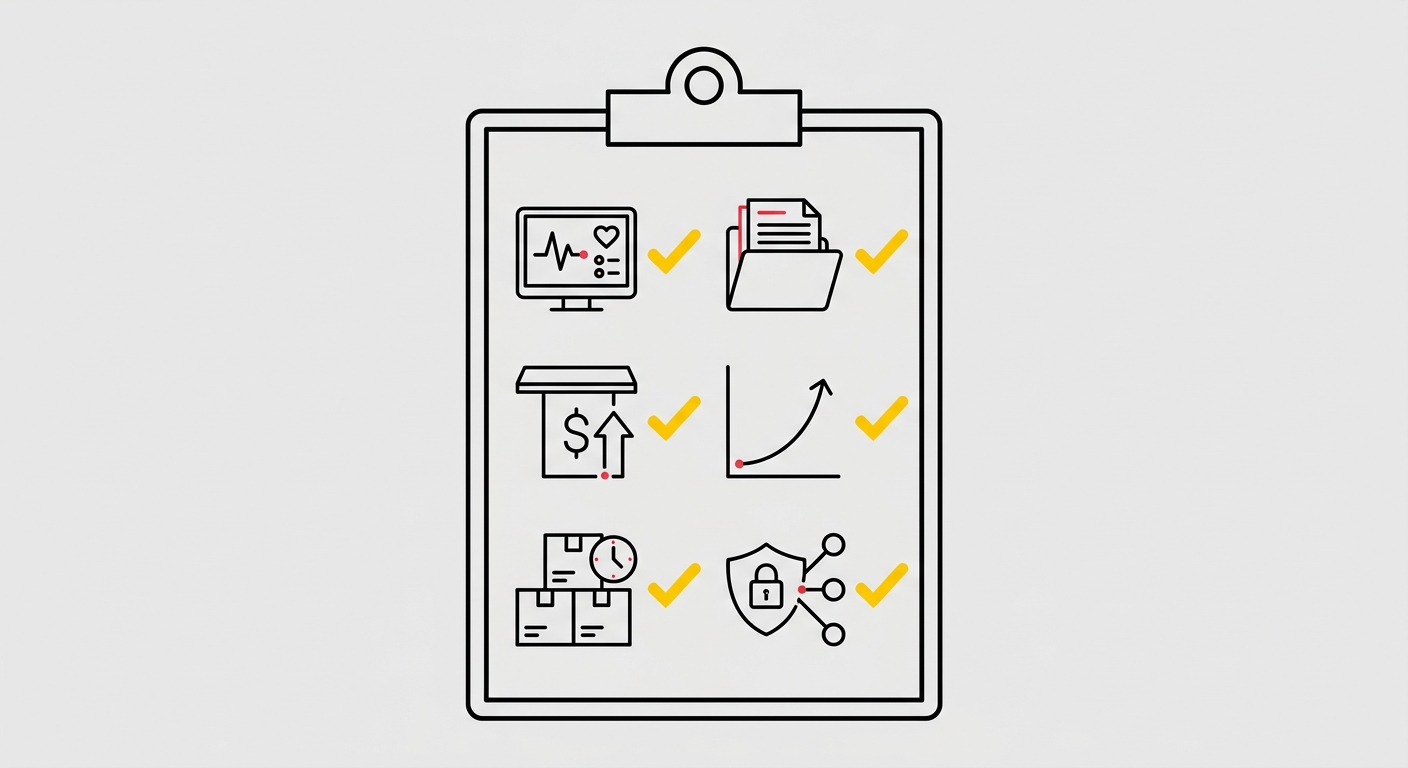
Pre-Prime Day account protection checklist for sellers
How to avoid it: Have your invoices and authorization letters organized and accessible before Prime Day, not scrambling for them after a complaint lands. Make sure supplier paperwork shows a clear paper trail from a legitimate source. If you own a brand, enroll in Brand Registry.
5. Related and linked account suspensions
Amazon's newer risk systems suspend accounts based on connections — shared IP addresses, devices, banking details, or warehouse locations — flagging them as potential "related accounts" even when no policy was actually broken.
The problem is how often this nails innocent sellers. Two businesses in the same co-working space. Sellers sharing a third-party warehouse to cut costs. Someone logging in from a friend's computer during a Prime Day shipping crunch. Any of those can trip the linked-account wire. And these cases are reportedly increasing.
How to avoid it: Don't log into your Seller Central from shared or public networks during the event. Keep your business entity, banking, and contact details distinct and consistent. If you genuinely operate multiple accounts, make sure you have Amazon's permission and clean separation between them.
6. Review manipulation suspensions
Lots of sellers ramp up review-generation efforts before Prime Day — and that's where automated systems get suspicious. Amazon's algorithms monitor review patterns, sales-to-review ratios, timing, product inserts, and buyer-seller communications, and they flag accounts on statistical patterns alone, without a human checking whether real manipulation occurred.
The catch: legitimate activities — a product launch, a normal review-request campaign, an insert card — can look exactly like manipulation to an algorithm that has no context. Former Amazon staffers report that automated systems generate most review-policy suspensions.
How to avoid it: Only use Amazon's official "Request a Review" button or compliant Buyer-Seller Messaging. Never incentivize reviews, never use inserts that ask for a specific rating, and don't blast a sudden burst of review requests right as Prime Day traffic peaks.
How to bulletproof your account before Prime Day 2026
Think of the two weeks before Prime Day as your pre-flight checklist. Run through this:
Pull your Account Health dashboard to zero red flags. Resolve any open policy warnings, suppressed listings, or pending complaints now. Going into Prime Day with an existing strike is asking for trouble.
Audit your repricer. Set ceilings, kill any rule that could spike a price during a demand surge, and double-check bundle pricing.
Get inventory in early. FBA cutoffs moved up to May this year. The classic Reddit horror story is selling out on Day 2 and watching the rest of the event from the sidelines with an empty Buy Box — which also tanks your organic ranking for weeks afterward. Use the formula sellers swear by: average daily units (last 30–60 days) × category multiplier (3x–6x for fast movers) × 4 event days, plus a 25–50% buffer. Keep overflow stock outside FBA as backup.
Organize your documentation. Invoices, supplier authorizations, shipping logs, order reports — have them in one folder, ready to attach to an appeal at a moment's notice. The sellers who get reinstated fast are the ones who didn't have to go hunting for paperwork.
Warm up your velocity. Nudge volume up in the weeks prior so the Prime Day jump looks like a curve, not a cliff.
Don't log in from sketchy networks. Stick to your normal, consistent setup.
Amazon seller account deactivated? How to get reinstated fast
If you're reading this with a suspension notice open in another tab — breathe. Deactivation feels like the end, but the vast majority of accounts are recoverable when the appeal is handled right. Speed and accuracy are everything: you want this measured in days, not weeks.
Step 1 — Don't panic-appeal. The single most common reason appeals fail is sellers firing off a rushed, emotional, or generic response. A poorly written appeal can burn an attempt and dig you deeper. Slow down for an hour so you can speed up overall.
Step 2 — Identify the actual root cause. Read the notice carefully and find the real trigger before writing a word. Was it velocity? ODR? Fair pricing? A linked-account flag? Amazon's notices are often vague, and appealing the wrong problem gets you nowhere. Check the Account Health dashboard for the specific ASINs or policy cited.
Step 3 — Write a Plan of Action that Amazon will actually accept. Every winning POA has three parts (more on this below).
Step 4 — Submit through the right channel — Account Health or the performance notification — with supporting evidence attached. Then, if Amazon comes back asking for "greater detail" or a video verification, respond fast and completely. Section 3 cases in particular increasingly require video interviews and repeated document requests.
Realistic timelines vary a lot by case type, but clean appeals on straightforward issues can resolve in a couple of weeks; documented case examples show roughly 21 days from suspension to reinstatement on cases like review-policy and Section 3 matters.
What a winning Plan of Action looks like
Amazon wants three things, in plain, fact-based language:
Root cause. Pinpoint exactly what triggered enforcement. Vague lines about "improving our processes" signal you haven't actually diagnosed the problem — and reviewers reject those on sight.
Corrective actions already taken. Note the past tense. Amazon wants to see what you've already done, not what you promise to do. Concrete, completed steps — not pledges.
Preventive measures. A clear framework showing how this never happens again — specific monitoring, automation guardrails, compliance checks.
Keep it tight, transparent, and backed by evidence (order data, invoices, screenshots). No excuses, no blaming Amazon, no fluff.
If your case is complex: Section 3, fraud allegations, linked accounts, a second rejection, or anything escalated to Amazon Legal — this is where a generic appeal almost always fails and professional help pays for itself. Mr. Jeff AMZ has reinstated 650+ seller accounts since 2021, with ex-Amazon staff writing the appeals, a personal appeal manager on every case, and a guarantee: we get you reinstated or you get your money back. If you're stuck mid-Prime-Day with funds frozen and no clear path, that's exactly the situation we handle every day.
The bottom line: protect your Amazon account this Prime Day
Prime Day 2026 (June 23–26) is the biggest revenue opportunity of the year — and the riskiest four days for your account. The sellers who win are the ones who treat suspension prevention as part of their Prime Day prep, not an afterthought: clean Account Health, audited pricing, inventory in early, documentation ready, velocity warmed up.
And if the worst happens and your Amazon seller account gets deactivated, don't panic-appeal. First, drop your suspension notice into the Suspension Analyzer by Mr. Jeff AMZ — it reads the notice, pinpoints the likely triggers behind your deactivation, and tells you exactly what you're up against. Then move forward with the right strategy instead of guessing.
Need Help With Amazon Account Reinstatement?
If your Amazon seller account has been suspended — it's critical to act strategically from the start. Every failed appeal makes the next one harder. The sooner you get the right team involved, the better your chances.
At Mr. Jeff AMZ, we specialize in reinstating suspended Amazon seller accounts, even in the most complex cases. Our team has successfully helped 650+ sellers get their accounts back and return to selling.
Here's what you get when you work with Mr. Jeff AMZ:
Insider Expertise — Our specialists include ex-Amazon staff and top Amazon sellers who understand exactly how Amazon reviews appeals behind the scenes.
Custom Plans — No Templates — Every Plan of Action (POA) is written from scratch, fully tailored to your specific suspension and account history.
Unlimited Revisions — We work on your case until reinstatement. No revision limits, no hidden fees.
Dedicated 1-on-1 Support — You'll have a personal reinstatement expert guiding you through every step of the process.
Fast-Track for Urgent Cases — If your business is on pause and time matters, we offer priority handling for urgent reinstatement cases.
Honest Case Review — If reinstatement isn't realistically possible, we'll tell you upfront. No false promises. No wasted time.
Get a Free Expert Case Review
If your Amazon seller account has been suspended, don't risk getting stuck in an endless appeal loop.
Fill out the form and get a free expert consultation with a detailed review of your Amazon suspension case.

Author
Helen
Head of Client Success at Mr. Jeff AMZ
Helen leads Sales & Client Success at Mr. Jeff AMZ, guiding Amazon sellers from their first suspension panic to a fully recovered account. With years of frontline experience managing reinstatement cases, she translates Amazon's dense policy language into clear, actionable next steps and keeps sellers informed at every stage of the appeal.
Connect on LinkedInFrequently Asked Questions
When is Amazon Prime Day 2026 and why does the timing matter for sellers?
Amazon Prime Day 2026 runs June 23–26, starting at 12:01 a.m. PDT. This is significant because Amazon moved the event forward from its typical mid-July timing, giving sellers approximately four fewer weeks to prepare. Deal submissions and FBA inventory cutoffs that used to land in June now hit in May, so sellers need to adjust their calendars accordingly.
Why is Prime Day considered a high-risk period for Amazon account suspensions?
Prime Day creates a perfect storm for account suspensions because Amazon's enforcement systems become more sensitive when traffic, orders, and prices all spike simultaneously. The combination of 5x–10x order volume increases, pricing fluctuations, and fulfillment pressure means even small operational slips can trigger automated flags or policy violations that lead to account deactivation.
What are the most common problems Amazon sellers face during Prime Day?
The most frequent Prime Day challenges include:
- Order volume explosions (5x–10x normal) that overwhelm fulfillment systems
- Stockouts that crater search rankings and cost up to 15% of potential revenue
- Last-minute deal rejections due to pricing errors or shallow discounts
- Losing the Buy Box to Amazon's pricing algorithm
How much can sellers expect to earn during Prime Day, even without running deals?
The opportunity is substantial. US online spending during Prime Day 2025 reached $24.1 billion, up 30.3% year over year. Even brands that didn't run any official Prime Day promotions saw approximately a 46% sales lift during the event week, simply because buyer intent across the entire Amazon platform increases dramatically.
What should I do if my Prime Day deal gets rejected by Amazon?
Amazon may reject deals for shallow discounts, pricing errors, or products that don't meet deal criteria—sometimes right before or during the event. Always have a backup plan ready, such as a coupon or Lightning Deal alternative. This ensures you don't lose the traffic you were counting on if your headline promotion gets pulled at the last minute.
How can I prevent stockouts during Prime Day without over-ordering inventory?
Stockouts during Prime Day don't just cost immediate sales—they damage your search ranking at the worst possible moment, with effects lasting weeks. Plan inventory based on 5x–10x your normal daily volume, factor in FBA inventory cutoff deadlines (which now fall in May), and consider keeping backup stock available for quick replenishment if needed.
What happens if my Amazon account gets suspended during Prime Day?
A mid-event suspension is one of the most damaging scenarios for sellers, as you lose sales during the highest-traffic period of the year. If you wake up to a deactivation notice, you'll need to act quickly with a reinstatement appeal. Having a plan in place before Prime Day—including understanding common suspension triggers and preparing documentation—can help you get reinstated faster.